

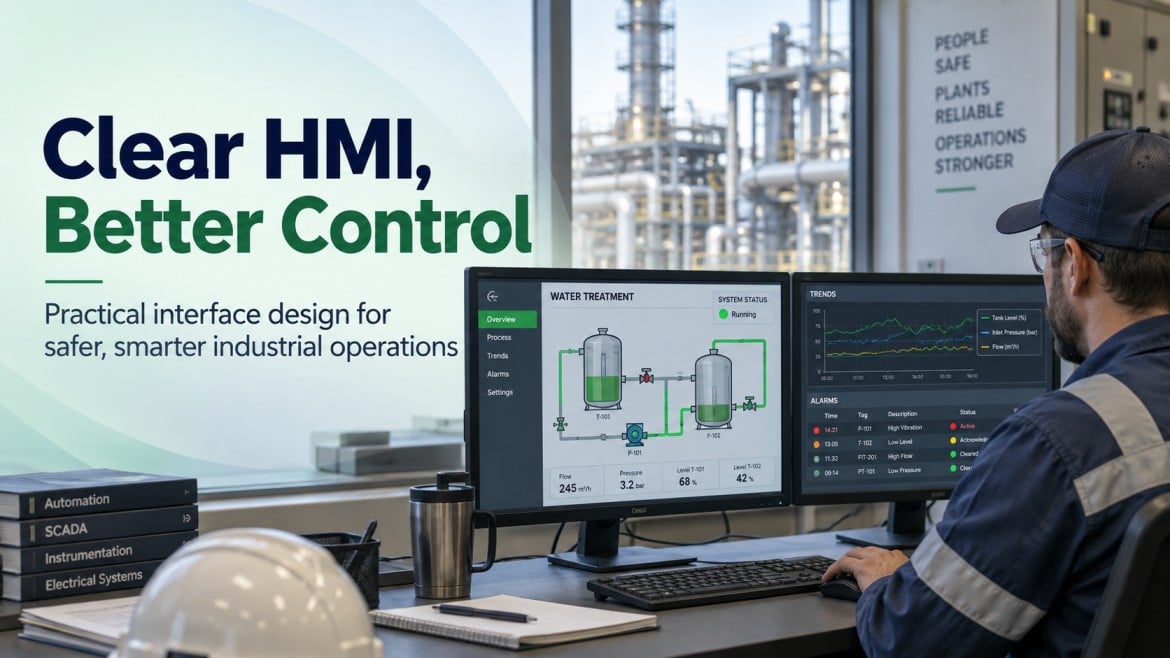
Industrial HMI development and design is the process of planning, building, and configuring the operator interfaces that display process data, alarms, and controls for a facility’s automation system. An effective HMI improves an operator’s ability to understand process status and respond to abnormal conditions, provided it is built around sound display design, alarm management, and standards such as ISA-101 and ISA-18.2. Poorly designed HMIs, cluttered screens, inconsistent color use, and unmanaged alarms can slow operator response and increase the risk of missed conditions.
Key takeaways
- HMI design (visual layout, navigation, color, symbology) and HMI development (software configuration, tag mapping, logic, testing) are distinct disciplines that both affect operator performance.
- Alarm management under ISA-18.2 and screen design under ISA-101 are separate but related bodies of practice; rationalized alarms and a documented HMI philosophy both reduce operator workload.
- Legacy HMI screens can often be redesigned around existing PLC and SCADA logic without a full controls replacement, which affects project cost and downtime.
- HMI platform and hardware choices affect long-term support, since software licensing, driver compatibility, and manufacturer lifecycle status determine how long a system can be maintained.
- Remote access, authentication, and network segmentation are practical considerations for any HMI or SCADA project, not optional add-ons.
Plant, maintenance, and engineering teams evaluating a new HMI project, a screen redesign, or a legacy system upgrade are usually trying to answer a narrower question than “what is an HMI”: they want to know what a development and design process actually involves, what separates a well-designed interface from a generic one, and what to expect from planning through commissioning. This article walks through that process, the standards that shape it, and where HMI development fits within a broader PLC, SCADA, and control-room environment.
What Is HMI Development and Design for Industrial Control Rooms?
An HMI (human-machine interface) is the software and hardware layer that lets an operator view process data and issue commands to a control system. In an industrial control room, the HMI is usually the primary point of contact between the operator and the plant; the PLC, RTU, or DCS executes the control logic, while the HMI presents that information in a form a person can interpret and act on.
How HMIs Connect Operators With Industrial Processes
The HMI pulls data from field devices through a PLC, RTU, or DCS and displays it as graphics, numeric values, trends, and alarms. It also passes operator commands, setpoint changes, start/stop commands, and mode changes back to the control system. The HMI itself typically does not perform the control logic; it depends on the underlying controller to execute it. This distinction matters when troubleshooting: an HMI communication fault and a control logic fault are different problems that require different diagnostic steps.
HMI Development vs. HMI Design
These terms are often used together but describe different work. HMI design covers the visual and interaction layer, screen layout, navigation hierarchy, color and symbol conventions, and how information is organized for the operator’s decision-making process. HMI development covers the technical build, configuring tags, linking graphics to PLC or SCADA data points, building scripts and logic, setting up alarms, and testing the software against the control system. A project can have strong development (functioning tags, stable communication) with weak design (cluttered screens, inconsistent color use), or the reverse. Both need attention for the finished system to support reliable operator decision-making.
How HMI, PLC, SCADA, and DCS Systems Work Together
An HMI is one part of a larger control architecture. The PLC or RTU executes control logic and reads/writes field I/O. The HMI presents that data to the operator and forwards commands back. SCADA extends this across multiple remote sites, adding data collection, alarming, and often a historian across a wider geographic footprint. A DCS integrates control, HMI, and I/O more tightly within a single vendor’s platform, more common in large continuous-process facilities. Where HMI development fits into a broader SCADA or DCS architecture, and how these systems are typically scoped and integrated, is covered in more depth in our SCADA and automation services overview.
What Makes an Effective Industrial Control-Room HMI
An HMI’s effectiveness is measured by how well it supports the operator’s ability to understand plant status and act on it, not by visual polish alone. The following principles, largely drawn from industry practice around high-performance HMI design, describe what distinguishes a functional interface from one that genuinely supports operator decision-making.
Situational Awareness and Operator Decision-Making
Situational awareness means an operator can look at a screen and quickly understand what state the process is in, whether that state is normal, and what requires attention. This depends on consistent visual hierarchy: critical information stands out, routine information recedes, rather than every data point competing for attention at the same visual weight. Screens with heavy use of bright colors, 3D graphics, or animation for non-critical elements tend to reduce rather than improve situational awareness, because they compete with the indicators that actually signal abnormal conditions.
Designing for Normal and Abnormal Operating Conditions
A screen designed only around normal operation often fails to communicate clearly during an upset. Effective HMI design accounts for how a screen should look and behave when values move outside normal ranges through deliberate use of color, position, and alarm indication, so the shift from normal to abnormal is immediately visible rather than something the operator has to search for.
Operator Workflows and Human Factors
HMI screens should reflect how operators actually work: what they check first during a shift start, what they need during startup or shutdown sequences, and what information they need together on one screen rather than split across multiple navigation steps. Task analysis with the people who will use the system, where feasible, typically surfaces workflow needs that a generic template does not anticipate.
High-Performance HMI Principles and Reduced Operator Error
High-performance HMI design generally favors a restrained color palette (muted grays and blues for normal status, with color reserved for abnormal conditions), 2D representations over 3D or photorealistic graphics, and process-relevant trend and value displays over decorative elements. These conventions are not a stylistic preference; they are intended to reduce the cognitive effort required to identify abnormal conditions quickly, which can affect how fast an operator notices and responds to a developing issue.
HMI Display Hierarchy and Screen Design
A well-organized HMI is typically structured in layers, moving from broad plant status down to individual equipment detail. This hierarchy affects how quickly an operator can navigate from an overview to the specific information needed to respond to a condition.
Plant and Process Overview Displays
The top-level display typically shows overall plant or process status, major areas, high-level KPIs, and any active alarms, giving the operator a starting point before navigating into detail. It is usually kept simple, avoiding dense numeric detail that belongs on lower-level screens.
Area, Unit, and Equipment Detail Displays
Below the overview, area and unit screens show more specific process data for a defined section of the plant, and equipment screens show detail for individual assets, a pump, a tank, a control loop. This layered approach lets an operator drill down only as far as needed for a given task, rather than working from a single dense screen that mixes overview and detail information.
Diagnostic and Maintenance Displays
Diagnostic screens support troubleshooting and maintenance rather than routine operation, communication status, I/O diagnostics, equipment runtime, or maintenance-related data. These are typically separated from operating screens so day-to-day operator navigation is not cluttered with information that is only relevant during troubleshooting.
Navigation and Information Hierarchy
Consistent navigation, the same menu structure, the same screen-to-screen relationships, and predictable placement of navigation controls reduce the time an operator spends locating information, particularly during an abnormal event when speed matters. Navigation design is typically documented as part of the HMI style guide so it stays consistent as new screens are added over time.
HMI Functions and Operator Controls
Beyond the visual layer, the HMI provides the functional controls operators use to monitor and adjust the process.
Real-Time Process Monitoring and Control
The HMI displays live process values, temperatures, pressures, flows, levels, motor and valve status, and lets the operator issue commands such as start/stop, open/close, or mode changes where the control logic and safety systems permit. The refresh rate and reliability of this data depend on the underlying communication architecture between the HMI and the PLC, RTU, or SCADA server.
Setpoints, Modes, and Control Parameters
Operators typically interact with setpoints (target values for a control loop), operating modes (manual, automatic, local, remote), and other control parameters through the HMI. How these are presented, confirmation prompts for critical changes, clear indication of current mode, and appropriate access restrictions affect both usability and the risk of unintended changes.
Process Trends, Historical Data, and Diagnostics
Trend displays let operators and engineers see how a value has changed over time, which is often more useful for diagnosing a developing problem than a single instantaneous reading. Where a historian is part of the architecture, trends may extend well beyond the HMI’s own buffer, supporting longer-term analysis of process behavior, equipment performance, or recurring issues.
HMI Alarm Management and Abnormal Condition Handling
Alarm management is a distinct discipline from screen design, focused specifically on how the system alerts operators to abnormal conditions and how those alerts are prioritized, presented, and resolved.
Alarm Prioritization and Rationalization
Not every alarm carries the same operational significance. Alarm rationalization is the process of reviewing each alarm against defined criteria, safety impact, process impact, time available for the operator to respond, and assigning it an appropriate priority. Facilities with alarm systems that were never rationalized often accumulate large numbers of low-value or duplicate alarms over time, which can obscure the alarms that actually require action.
Alarm Indication, Acknowledgment, and Shelving
How an alarm is displayed color, flashing behavior, audible tone, position in an alarm summary, and how an operator acknowledges or temporarily shelves it are part of alarm system design. Shelving (temporarily suppressing a known, non-critical alarm) needs defined rules and time limits; used without controls, it can result in alarms being suppressed indefinitely and genuine conditions being missed.
Preventing Alarm Floods and Operator Overload
An alarm flood occurs when a single process upset triggers a large number of alarms in a short period, often because underlying alarms are not properly rationalized or because one root cause cascades into many secondary alarms. Reducing flood risk generally involves rationalizing alarm setpoints, suppressing alarms that are consequences of a known primary condition, and reviewing alarm rates against recognized guidance rather than accepting whatever the default PLC or SCADA configuration produces.
Designing Actionable Alarms and Applying ISA-18.2
ANSI/ISA-18.2, Management of Alarm Systems for the Process Industries, describes an alarm management lifecycle covering philosophy, identification, rationalization, detailed design, implementation, operation, maintenance, monitoring and assessment, and management of change. Applying it typically means every alarm has a documented reason for existing, a clear operator action, and enough time for that action to be taken, rather than being added ad hoc as the control system was built out. Facilities considering ISA-18.2 alignment as part of an HMI or SCADA project should verify current applicability and scope against their own process safety requirements, since the standard’s application can vary by facility type and existing alarm philosophy.
HMI Design Standards and Style Guides
Consistency across an HMI system, and across future HMI development as the system grows, depends on documented standards rather than ad hoc screen-by-screen decisions.
Developing an HMI Philosophy
An HMI philosophy is a foundational document describing the design principles, terminology, and conventions that will govern the entire HMI system, color use, navigation structure, alarm handling approach, and screen hierarchy. It is typically developed before detailed screen design begins, since retrofitting consistency into an already-built system is more disruptive than establishing it up front.
Creating HMI Style Guides and Applying ISA-101
ANSI/ISA-101, Human Machine Interfaces for Process Automation Systems, provides a framework for HMI design and lifecycle management, including guidance on display hierarchy, color and graphic conventions, and the development of a documented HMI style guide. A style guide built around ISA-101 principles typically defines specific rules: which colors indicate which states, how equipment symbols are drawn, and how text and numeric values are formatted, so that screens built by different developers, or added years later, remain visually and functionally consistent.
Color, Symbols, Graphics, and Visual Hierarchy
High-performance HMI conventions generally use a muted background palette, reserve saturated colors (red, yellow) for alarm and abnormal states, and use consistent, simplified equipment symbols rather than photorealistic or highly detailed graphics. This reduces visual clutter and makes abnormal conditions stand out by contrast, rather than competing with decorative color use throughout the screen.
Designing Consistent and Accessible Interfaces
Beyond color and symbol conventions, accessible HMI design considers readability at typical viewing distances, appropriate contrast, and, where relevant, color choices that remain distinguishable for operators with color vision deficiencies, since alarm indication that relies solely on red/green differentiation can be difficult for some operators to interpret reliably.
HMI Hardware and Control-Room Workstations
HMI software runs on physical hardware, and hardware choices affect reliability, usability, and long-term supportability.
Industrial Operator Panels and Touchscreen Displays
Panel-mounted operator interface terminals are common at local equipment or skid-level HMIs, offering a compact, ruggedized display suited to a plant floor or outdoor enclosure environment. Touchscreen usability, environmental rating, and screen size all affect how well a panel-mount HMI functions in its intended location.
Control-Room Workstations and Industrial Computers
Central control rooms more often use PC-based workstations running SCADA or HMI software, typically on multiple monitors to display overview, detail, trend, and alarm screens simultaneously. Industrial-grade computers are generally preferred over standard office hardware for continuous, unattended operation in a control-room environment.
Physical Controls, Indicators, and Input Devices
Some control rooms retain physical controls, hardwired switches, pushbuttons, and indicator lights, alongside the HMI, particularly for safety-related or critical functions where a hardwired control provides a level of independence from the software system. Keyboard, mouse, or touchscreen input device selection also affects operator efficiency and screen wear over time.
Selecting HMI Platforms and Hardware for Long-Term Support
HMI software platform selection affects the project well beyond initial commissioning. Considerations include the manufacturer’s product lifecycle and support commitments, driver and protocol compatibility with existing PLCs or SCADA infrastructure, licensing structure, and the availability of technical resources familiar with the platform. Selecting a platform primarily on lowest initial cost, without accounting for lifecycle support, can create the kind of legacy obsolescence problem that drives later modernization projects.
The HMI Development and Design Process
Developing and deploying an HMI is a structured process, though the specific sequence and level of formality varies with project size and facility requirements.
Requirements, Operator, and Task Analysis
The process typically begins with defining what the HMI needs to accomplish, which processes and equipment it will monitor, who will use it, and what tasks those operators perform. Involving operators and maintenance personnel in this stage, where feasible, tends to surface practical requirements that a purely engineering-driven specification misses.
HMI Architecture and Screen Planning
This stage defines the overall screen hierarchy: how many levels, what belongs on each level, how screens relate to each other and to the underlying control system architecture, before any individual screen is built in detail.
Wireframing and Prototyping
Rough layouts or prototypes let stakeholders review navigation and information placement before full development, which is generally less costly to revise at this stage than after screens are fully built and populated with live data.
Software Development and Tag Configuration
This is where graphics are built in the HMI software, linked to PLC or SCADA tags, and configured with the logic, scripting, and alarm settings defined in the design phase. Tag naming conventions and documentation established here affect how maintainable the system is later.
Testing, Validation, and Operator Acceptance
Before deployment, screens are tested against the actual control logic to confirm data displays correctly, controls function as intended, and alarms trigger appropriately. Operator review and acceptance testing, having the people who will use the system evaluate it before go-live, helps identify usability issues that automated testing alone would not catch.
Deployment, Commissioning, and Operator Training
Deployment includes installing the HMI software on production hardware, verifying live communication with the control system, and training operators on the new or updated interface. Training is often underestimated; an operator unfamiliar with a redesigned screen layout may respond more slowly during the transition period even if the new design is objectively an improvement.
Documentation, Handover, and Change Management
Completed projects should be handed over with documentation covering tag lists, screen inventories, alarm configuration, and the HMI style guide, along with a defined process for managing future changes. Without this, later modifications tend to drift away from the original design standards, gradually reintroducing the inconsistency the original project was meant to resolve.
Integrating HMIs With PLCs, SCADA, and Field Devices
An HMI’s usefulness depends on reliable integration with the underlying control and field-device layer.
PLC, SCADA, and DCS Integration
HMI integration with a PLC typically involves establishing a communication driver appropriate to that PLC’s protocol and mapping tags between the controller’s memory and the HMI’s tag database. In a SCADA architecture, the HMI may communicate with a SCADA server that aggregates data from multiple PLCs or RTUs across a wider system, rather than connecting directly to each controller. DCS environments often integrate HMI, control, and I/O more tightly within a single vendor’s platform, which affects how integration work is scoped compared with a multi-vendor PLC/HMI project.
Communication Protocols, OPC UA, and Industrial Networking
HMI-to-controller communication may use a manufacturer-specific protocol, an open standard such as OPC UA, or, in older systems, serial or legacy Ethernet-based protocols. Protocol selection depends on what the existing PLC, RTU, or SCADA infrastructure already supports; introducing a new protocol into an established architecture can add integration complexity that should be evaluated during the design phase rather than discovered during commissioning.
Historian, Instrumentation, and Field Device Integration
Beyond the immediate PLC or SCADA connection, HMI projects often need to account for historian data collection and how field instrumentation data ultimately reaches the operator screen. Instrument signal type, scaling, and any intermediate devices between the field and the controller all affect how accurately the HMI represents actual process conditions.
HMI Performance, Reliability, and Security
An HMI that is well designed visually still needs to perform reliably and be reasonably secured against unauthorized access.
Real-Time Data Performance and Screen Responsiveness
Screen update rate, the number of tags refreshing simultaneously, and network latency between the HMI and the control system all affect how responsive the interface feels to an operator. Overloaded screens with excessive tag counts or unnecessary polling can slow performance in ways that are difficult to diagnose without reviewing the underlying communication load.
Redundant HMI Architectures, Backup, and Recovery
For control rooms where continuous visibility is operationally important, redundant HMI servers or workstations, along with a defined backup and recovery process for HMI configuration and screen files, reduce the impact of a single hardware or software failure. The appropriate level of redundancy depends on the process criticality and the facility’s tolerance for a temporary loss of operator visibility.
User Authentication, Role-Based Access, and Secure Remote Access
Role-based access control, limiting which users can view versus change setpoints, acknowledge alarms, or modify configuration, is a standard part of HMI security design. Where remote access to the HMI or SCADA system is required, it should go through a properly configured, authenticated, and segmented connection rather than direct exposure of control-system components to an open network. Facility-specific remote access and network security decisions should follow applicable guidance from bodies such as CISA and standards such as ISA/IEC 62443, and should be evaluated by qualified personnel familiar with the facility’s overall network architecture.
HMI Modernization and Legacy System Upgrades
Many HMI projects are driven by an aging existing system rather than a new build, and modernization decisions depend heavily on the condition of the current platform.
When an Existing HMI Needs an Upgrade
Signals that an HMI may need attention include software or operating system versions no longer supported by the manufacturer, hardware that is difficult to source replacement parts for, screens that no longer reflect the actual process (after equipment changes were made without updating the HMI), or persistent operator complaints about usability or confusing alarm behavior. None of these alone necessarily requires a full replacement; the appropriate path depends on the specific condition of the existing system.
Replacing Obsolete HMI Hardware and Software
Where the underlying HMI software platform or operator panel hardware is discontinued or no longer supported, replacement is often necessary regardless of screen design quality, since ongoing support and security patching are no longer available. This is a different problem from outdated screen design and should be evaluated separately.
Modernizing Screens Without Replacing Existing PLCs
In many cases, HMI screens can be redesigned and rebuilt on updated software while leaving the existing PLC or RTU logic largely unchanged, since the HMI communicates with the controller through defined tags rather than depending on its internal programming. This can reduce both project scope and downtime compared with a full controls replacement, though it depends on whether the existing controller and its communication interface remain viable to keep in service.
Migrating Legacy HMI Systems
Migrating an established HMI system, moving screens, tags, and alarm configuration to a new software platform, typically requires more than a direct export/import, since older systems often lack the structured tag documentation and alarm rationalization that a design following ISA-101 and ISA-18.2 would include. Migration projects benefit from treating the effort as an opportunity to rationalize alarms and rebuild screens around current design standards, rather than simply recreating the old system’s limitations on new software.
HMI Applications Across Louisiana Industries
HMI development and design needs vary by industry, though the underlying principles of display hierarchy, alarm management, and standards-based design apply broadly.
Oil and Gas, Petrochemical, and Process Facilities
Process facilities often require HMI systems that account for continuous operation, alarm management under demanding process safety conditions, and integration with existing DCS or SCADA infrastructure. Where a facility is subject to regulatory requirements such as PHMSA pipeline safety regulations, applicability should be verified against the specific facility and system rather than assumed based on industry alone.
Manufacturing, Energy, and Utilities
Manufacturing and energy facilities frequently need HMI screens that integrate motor control, production equipment status, and process monitoring, often across multiple production areas that benefit from a consistent navigation hierarchy tying area-level screens together.
Water/Wastewater, Food and Beverage, and Marine Operations
Water and wastewater systems commonly rely on HMI and SCADA integration for remote monitoring of pumping and treatment processes, often across geographically distributed sites. Food and beverage and marine operations bring their own environmental and process-specific considerations, but generally follow the same underlying HMI design and alarm management principles described above.
Frequently Asked Questions
What is the difference between an HMI and a SCADA system?
An HMI is the interface a person uses to view process data and issue commands, typically for a single facility, system, or area. SCADA is a broader system that collects and manages data across multiple sites or a larger process area, often including its own HMI presentation layer along with data acquisition, historian functions, and remote monitoring.
How long does an HMI development project take?
Project duration depends heavily on scope, the number of screens, the complexity of the process, the extent of PLC or SCADA integration required, and whether the project involves new controls hardware or a screen-level redesign on an existing control system. Facility-specific timelines should be scoped against the actual project requirements rather than assumed from a general estimate.
Can HMI screens be redesigned without changing the PLC program?
Often, yes. Since the HMI communicates with the PLC through defined tags rather than depending on the controller’s internal logic, screens can frequently be rebuilt or redesigned while the existing PLC program remains in service, provided the current PLC and its communication interface remain functional and supportable.
What are ISA-101 and ISA-18.2?
ISA-101 is a standard addressing HMI design for process automation systems, including display hierarchy and style guide development. ISA-18.2 addresses the management of alarm systems, including alarm rationalization, prioritization, and lifecycle management. They address related but distinct parts of an HMI project: screen design and alarm management, respectively.
How often should industrial HMI systems be upgraded?
There is no fixed interval; the right timing depends on manufacturer support status for the current software and hardware, how well the existing screens and alarms reflect actual process conditions, and whether the system continues to meet operational and cybersecurity expectations. Periodic review of these factors is more reliable than a fixed replacement schedule.
Improve Control-Room Operations With Professional HMI Design
Effective HMI development and design combine disciplined screen hierarchy, rationalized alarm management, and standards such as ISA-101 and ISA-18.2 with reliable integration into the underlying PLC, SCADA, or DCS architecture. Whether the project involves a new control room, a screen redesign on existing controls, or a full legacy system migration, the right approach depends on the condition of the current system and the operational requirements of the facility.
Advanced Energy Services provides SCADA and automation, instrumentation, and electrical services to industrial and utility facilities across Louisiana, Texas, and the broader Gulf Coast region. If your facility is evaluating an HMI development or design project, whether a new build, a screen modernization, or a legacy system upgrade, contact Advanced Energy Services to discuss your control room’s specific requirements or learn more about our SCADA and automation services.